The thin part is one continuous line
Only the frame is as thin as two passes, and it closes on itself. The printer lays it down in one closed loop.
Open3DPC is a tiny two-color code made especially for 3D printing.
No ink, no sticker, and no dot as small as your printer’s limit. It is part of the object.
A QR code* is full of tiny squares standing alone. For each one the print head travels, stops, starts and stops again, and that is where strings and blobs come from. In Open3DPC they are few, and each has four times the area.
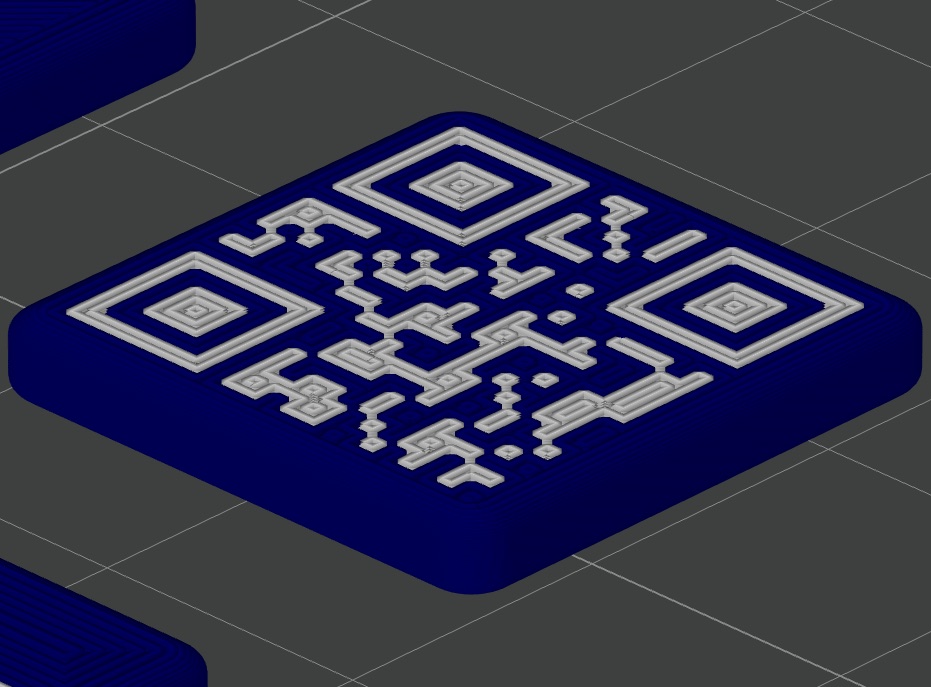
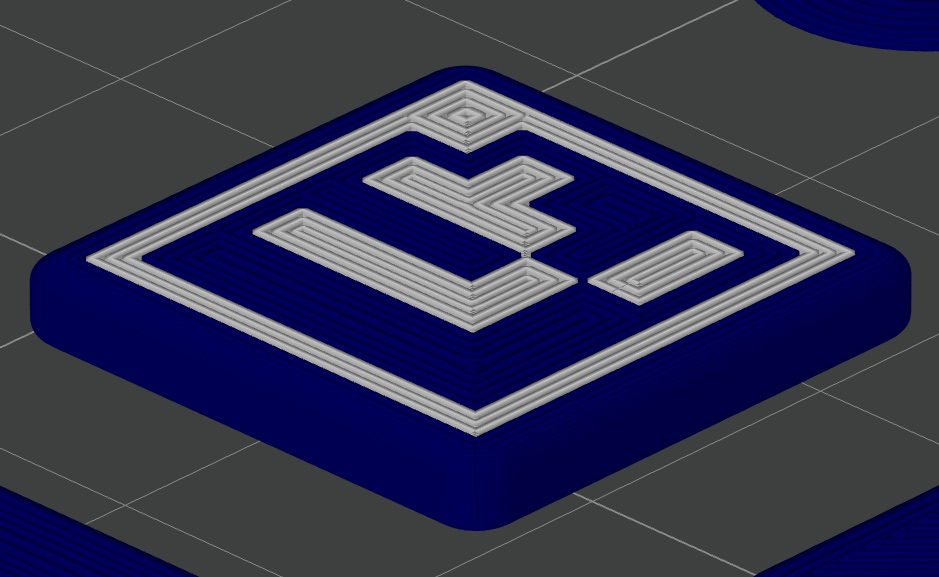
Encoded payload: 9999 (integer)
Real slicer previews of codes that hold 9999. Both tiles are 20 × 20 mm, and the thinnest feature is 0.8 mm: two lines of a 0.4 mm nozzle.
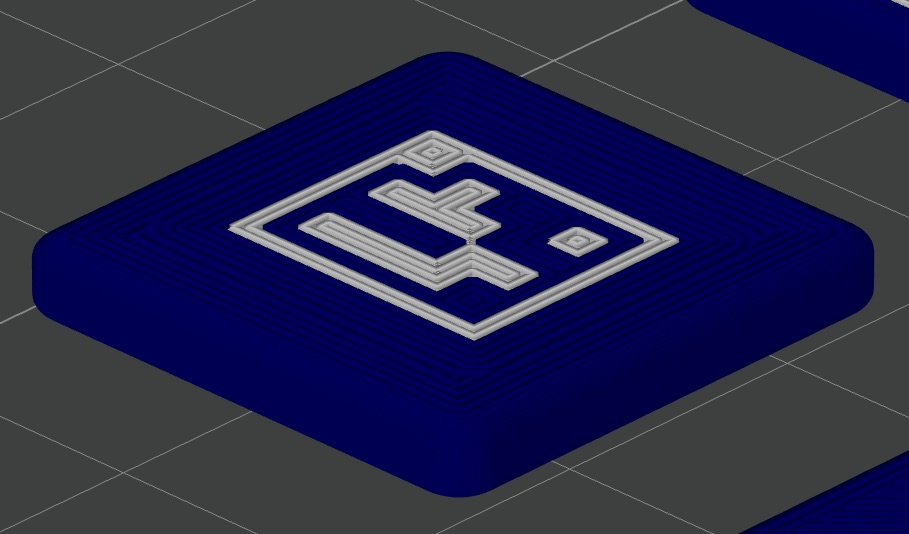
Encoded payload: 9999 (integer)
The same number on the same 20 × 20 mm tile, each code at the size it needs. The thinnest feature is 0.8 mm: two lines of a 0.4 mm nozzle.
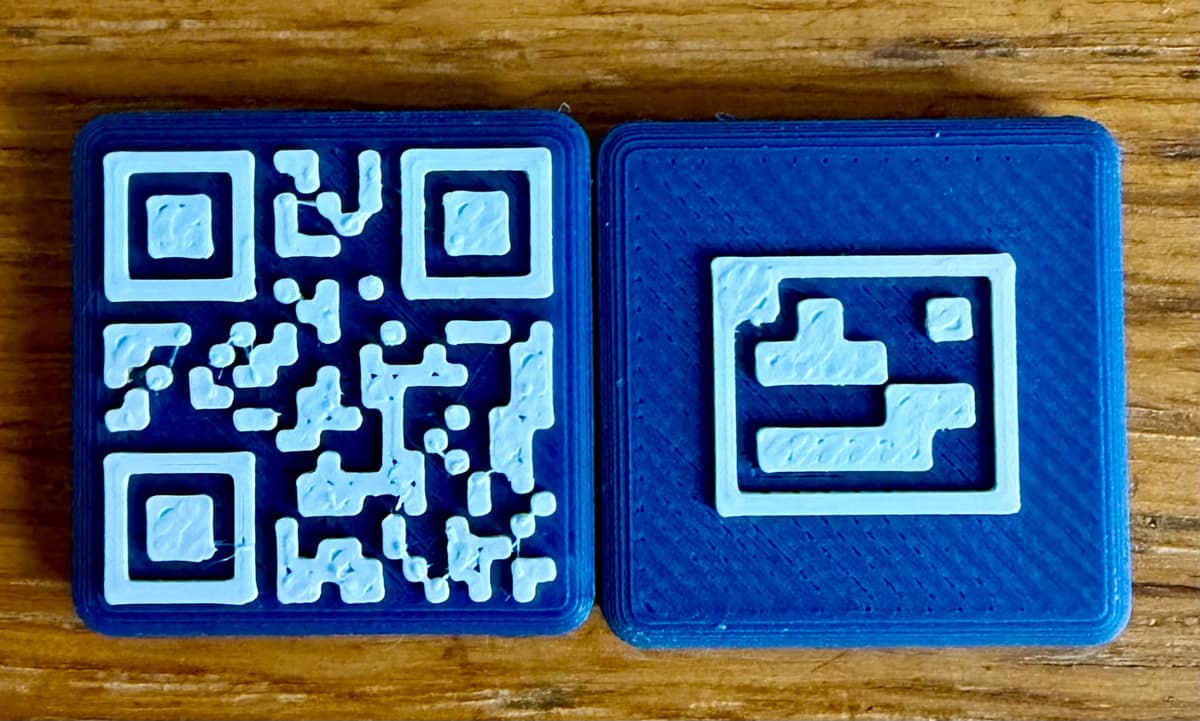
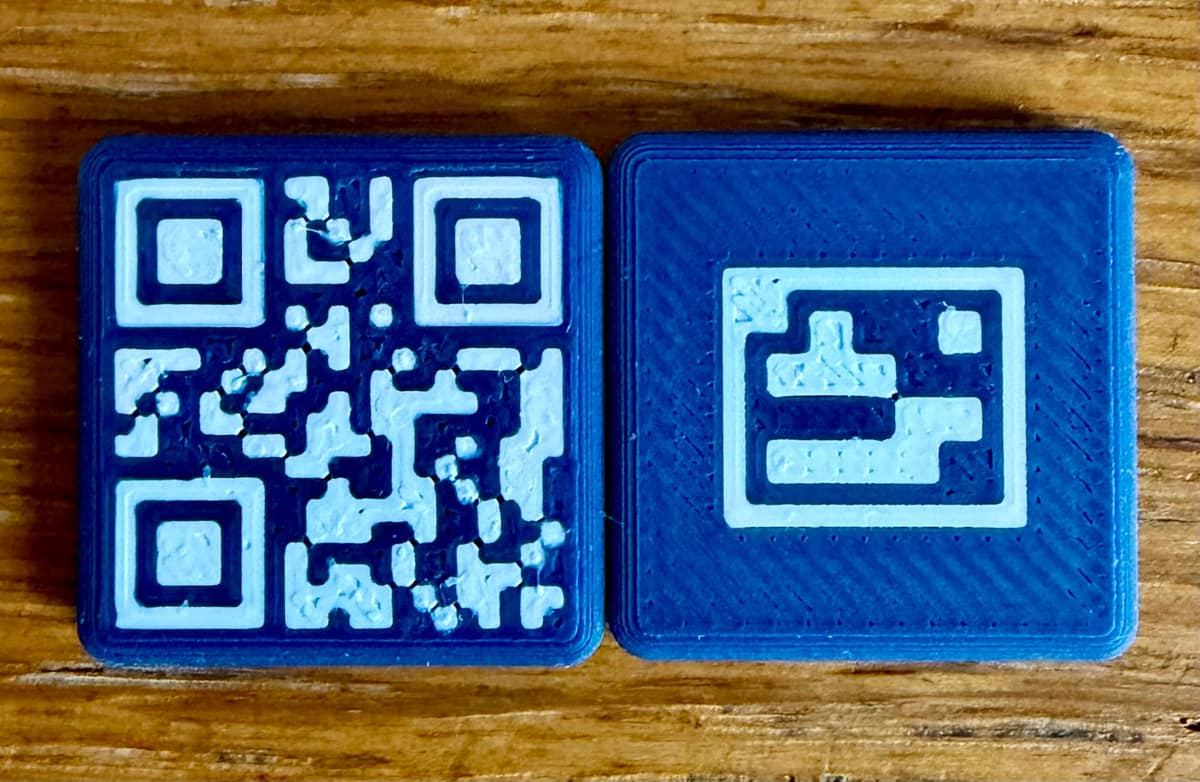
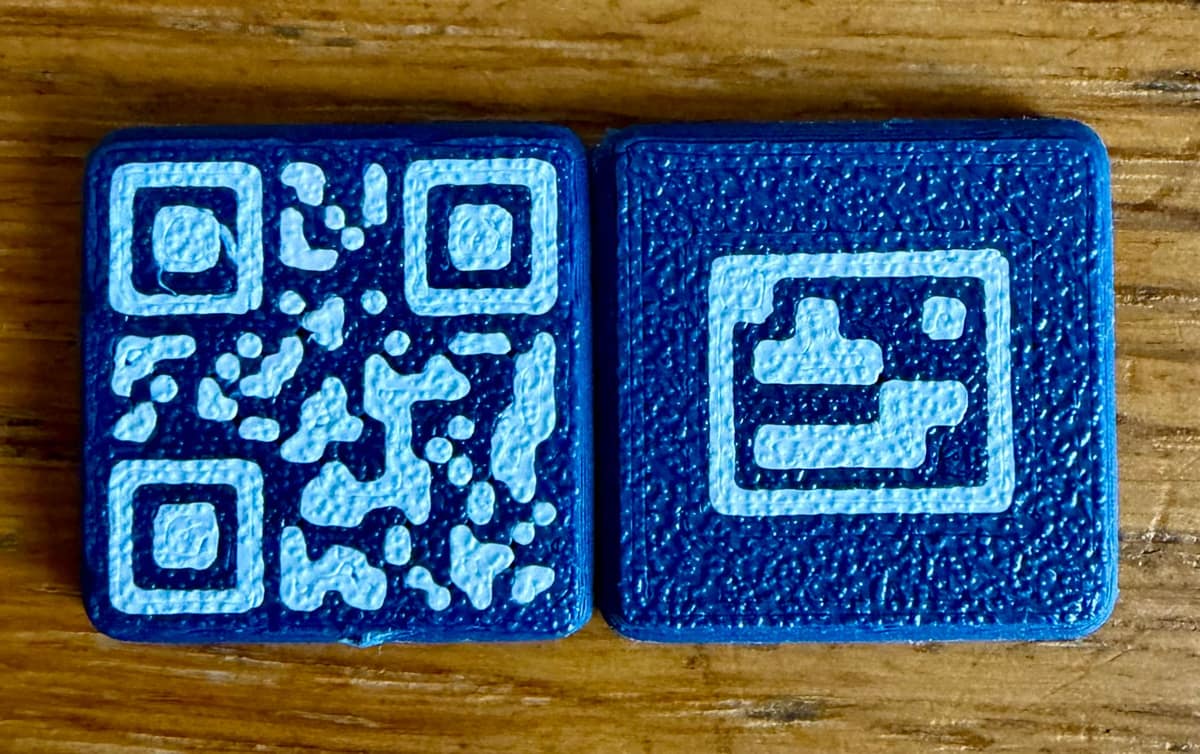
Encoded payload: 9999 (integer)
Real prints from a well-tuned Bambu Lab A1 mini: 0.2 mm layers, no ironing, identical 20 × 20 mm tiles. The QR codes still scan, but look at their lone squares: rounded, merged, strung together. Open3DPC is a few long, solid lines.
Only the frame is as thin as two passes, and it closes on itself. The printer lays it down in one closed loop.
The smallest square standing alone is 1.6 mm, four passes of a 0.4 mm nozzle, against 0.8 mm in a QR code. Squares that touch merge into bigger shapes.
No corner targets, no timing dots. A frame and one marked corner are enough, because the phone does the hard work.
Plastic does not crease. A checksum replaces error correction, so the code stays small enough for small parts.
Set the module for your nozzle, any rows and columns that hold your number, and get an STL of the code itself.
Dark on light or light on dark, at any of four turns. The colors only need strong contrast.
On a printer the hard part is the smallest square standing alone. Choose what to make equal, and then compare the sizes.
Even with each dot four times the area of a QR code dot, Open3DPC still takes three times less space to print. That makes it work on small prints and large ones alike.
A QR code is always a square. Open3DPC takes any rows and columns that hold the number, so it fits where a square does not: a post, a rim, a handle, the edge of a lid.
Encoded payload: 9999 (integer)
All at one scale, quiet zone included, with a 0.8 mm thinnest feature. Every shape that holds the number is in the generator’s gallery. The flattest, two rows, has a two-bit checksum: prefer three rows when the part has room.
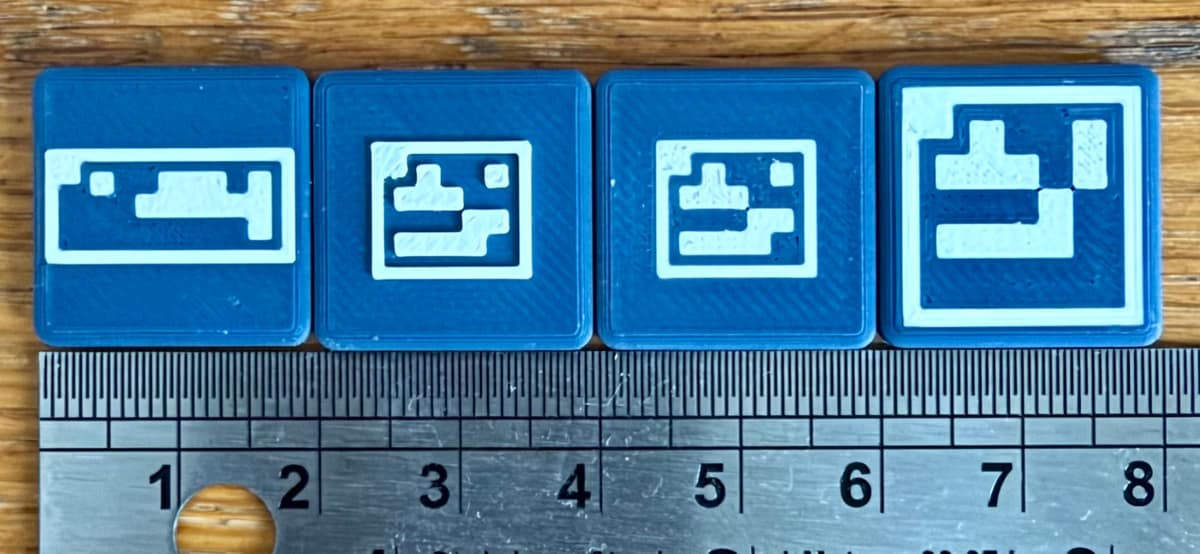
Every choice above comes down to one thing: the code leans on what a printer does well and steers around what it does badly. So it comes out clean, and it reads, whatever mood your printer is in.
Scan the left code with your camera app.
The scanner will open right in your browser.
Then read the right one in the scanner: it’s the payload you set up at the beginning of this page.
In the GitHub repository, the readers as plain libraries:
JavaScript is on npm too: npm install open3dpc
Nothing to install and nothing uploaded: the codes are made and read on your own device.
Any number or bits. Set your nozzle, how many passes the thinnest line takes, the height and the plate; limit the width and height; pick a shape from the gallery.
Open it on a phone, allow the camera, point. It reads in any of four turns, dark on light or light on dark, and waits for two frames before it trusts a code.
The same generator and reader as one command, for Node.js 20.9 or later: read a folder of photos with its subfolders, or make the files for a whole list of numbers in a script.
npm install -g open3dpc-cli

open3dpc scan ~/Pictures/parts --shape 4x6
open3dpc make 4242 --length 14 --shape 4x6
open3dpc-cli on npm
The code holds a number. What it opens is your app’s business.
Paste this into Claude Code, Cursor or Codex.